Here you can set text rules that will allow you to select which SMS to forward using this filter.
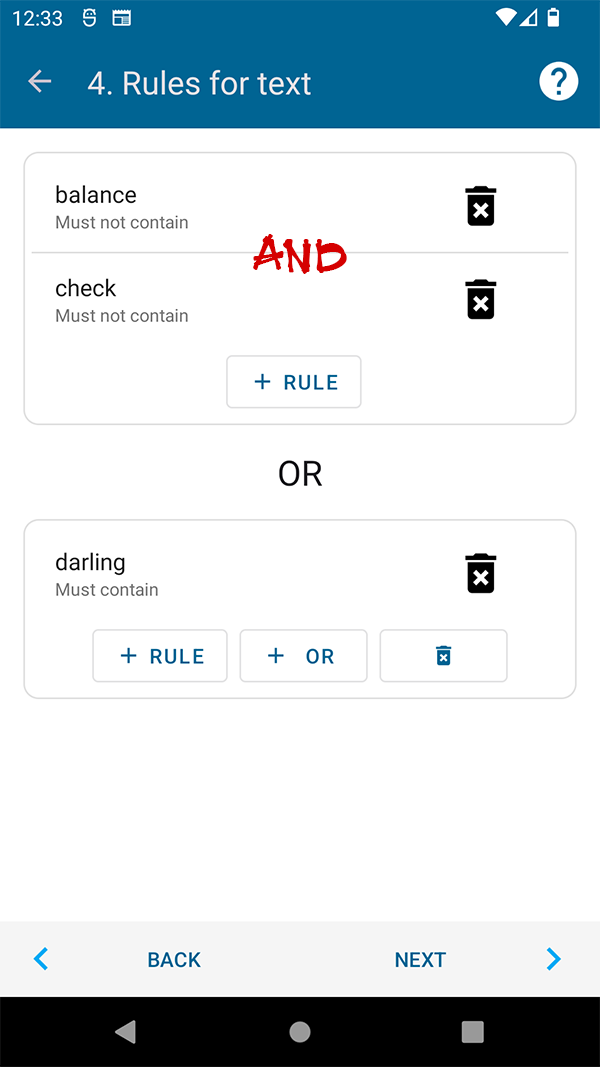
For example, to prohibit sending SMS that contain the word "Check" or "Balance" in the text. Or allow sending only those SMS that contain the text "Darling".
The comparison does not take into account uppercase and lowercase characters.
When comparing, the logical operators "AND" and "OR" are used.
The rules combined into one group must be executed all (combined by the logical operator "AND") in order for the SMS to be forwarded. By adding several groups of rules, you can create variability of suitable SMS texts, groups of rules are combined with the logical operator "OR" (if the SMS text satisfies at least one of the rule groups, then such an SMS will be sent, 3rd example below).
For the rules that are set in the screenshot above, SMS examples:
- "Darling, how are you?" - will be forwarded by the filter
- "Darling, can you send me a check?" - will be forwarded by the filter (satisfies the second group of rules)
- "Let's meet" - will be forwarded (satisfies the first group of rules)
- "Your balance is 100$" - will not be forwarded by the filter
For a deeper understanding of how groups of rules work, we advise you to study the logical operators "AND" (Logical conjunction) and "OR" (Logical disjunction).
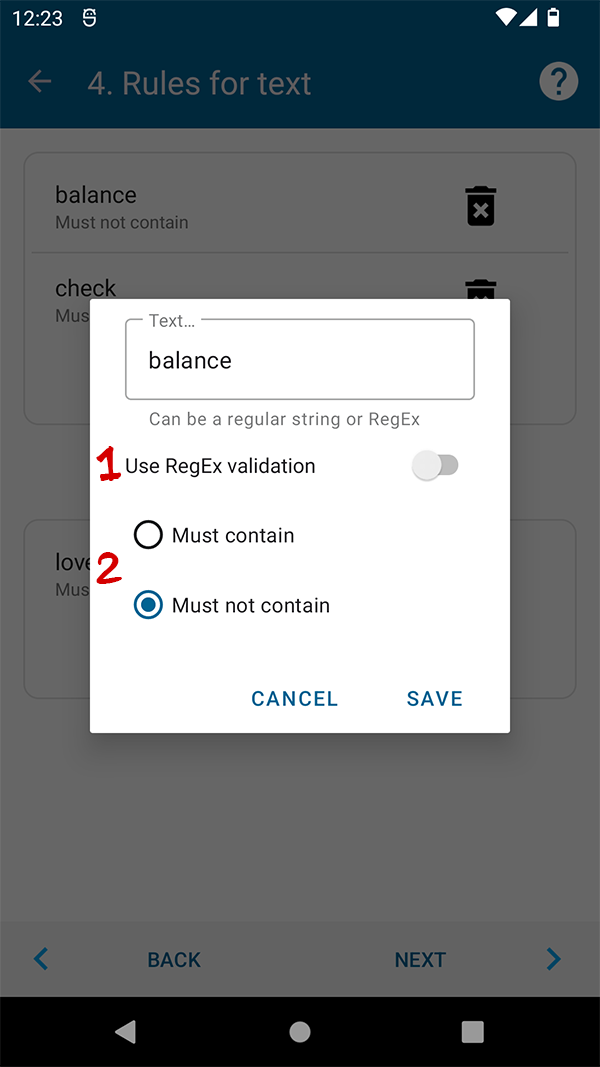
You can set any words or phrases to compare with SMS text. In new versions of the application, it became possible to use the RegEx comparison (# 1) for more flexible comparison settings (if you do not know what RegEx is, then use the usual text comparison). In the text settings window, you can choose whether the specified text should be in the SMS, or vice versa should be absent (#2):