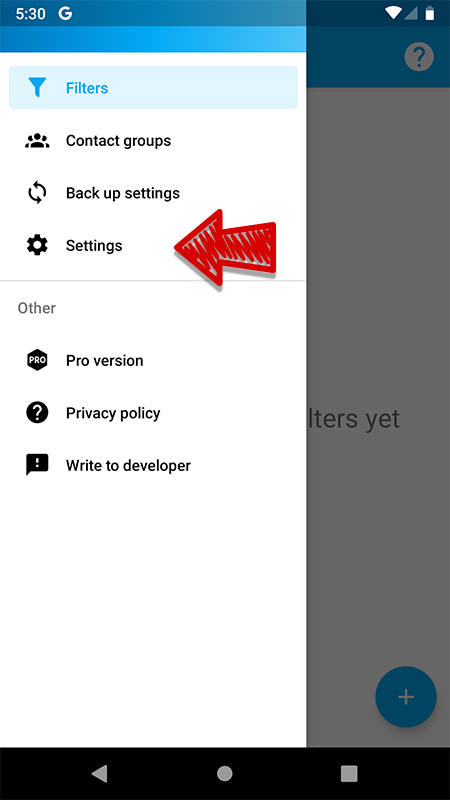
In the application settings, you can specify parameters that will work for the entire application. You can go to the settings using the menu:
Here you can configure:
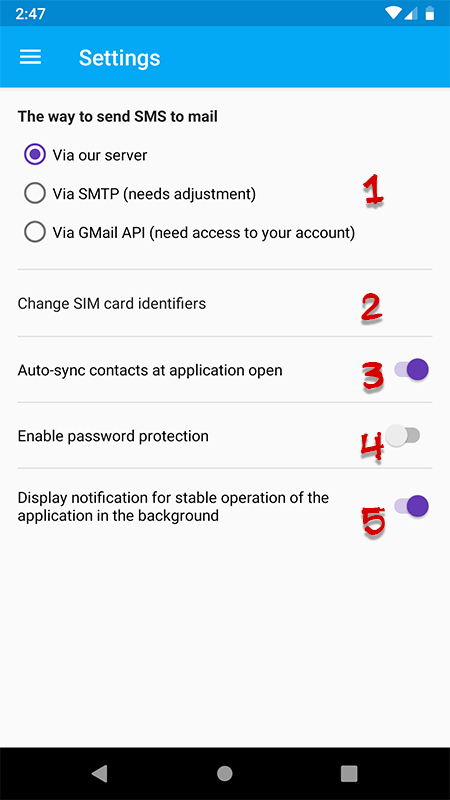
1) the method of sending SMS to e-mail: through our server (it may be unstable during high load periods), via SMTP or Gmail API. In the latter cases, some tuning is required.
2) specify identifiers for SIM cards, if you have two of them (used in templates of forwarded messages)
3) disable the automatic synchronization of contacts at the time of opening the application. It is necessary for the application to have access to current contact data
4) enable password protection of the application (only for the Pro version)
5) disable the application notification display. Disabling can damage the stability of the application