In the new update, we have completely changed and redesigned the mechanism for checking for a premium version.
As it was before? The premium version was linked to your Google Play account from which the purchase was made. The availability of a premium version was checked through Google Play services on the user’s device.
This led to problems if you used multiple Google Play accounts. At some point, Google Play Services may not return information to the application that the user has purchased a subscription.
What will happen now? After purchasing the premium version, purchase information is transferred to the application server and is strictly linked to the internal application account.
This avoids the problem described above.
The transition will take place in two stages. The first is the update that we are releasing now, which will prepare all users who already have the premium version. Secondly, in the next update after this there will be a final transition and the old method of checking for a premium version will no longer work.
Make sure that the application correctly detects whether you have a subscription or an eternal version (purchase was previously available, but is no longer available) by following the instructions.
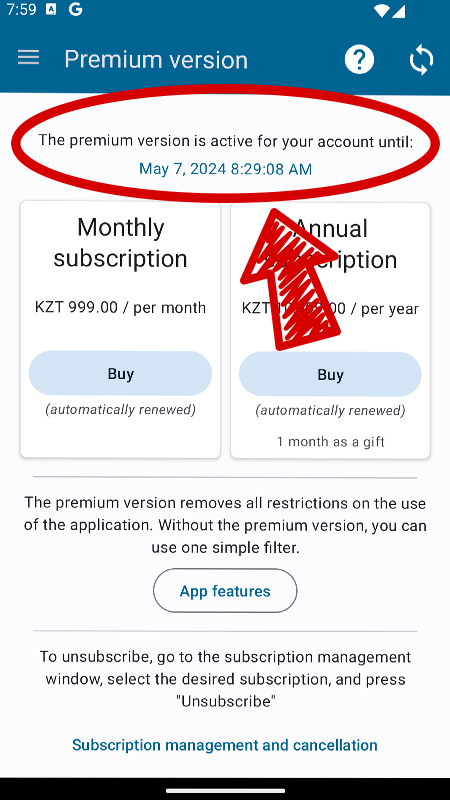
First of all, go to the “Premium version” page, if the subscription expiration date or the presence of a permanent version is indicated there, then everything is fine and you don’t need to do anything:
If you have an active Google Play subscription, but the data has not yet been synchronized with the application server, you will see a “Restore Purchases” button:
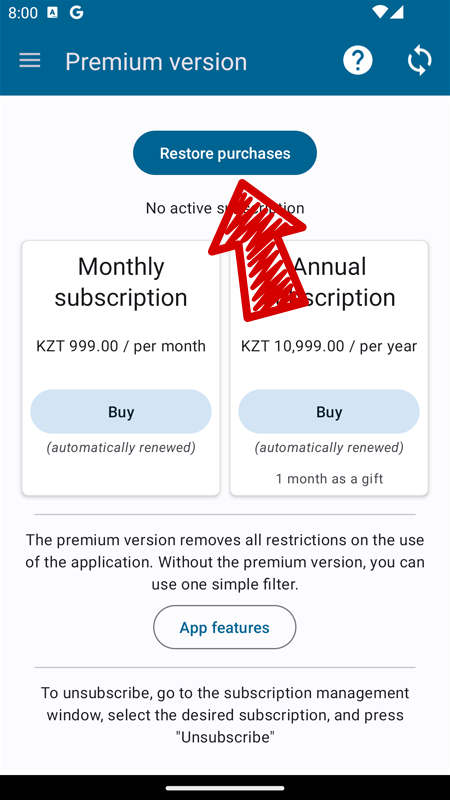
Click it and in the window that appears, agree to link the subscription to your internal account in the application. Wait until the data is sent to the server. That's all, now your subscription will be displayed as in the first screenshot.
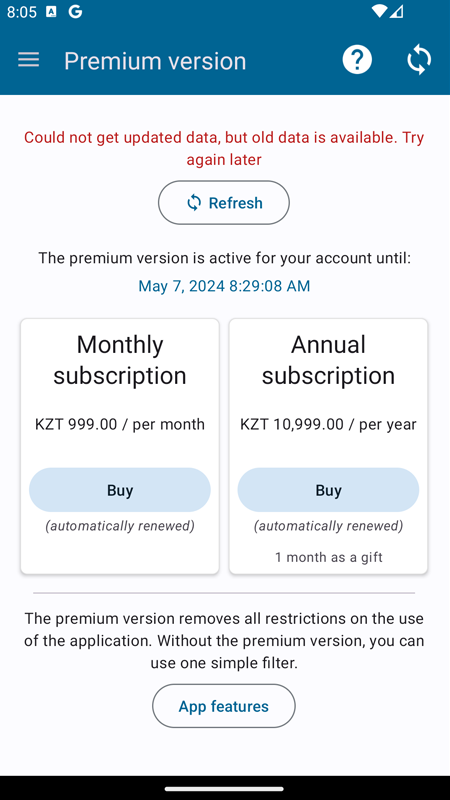
In rare cases, you may see an error message about data verification on the server. In this case, we recommend that you wait or change the type of Internet connection (mobile Internet to wi-fi or vice versa) and try again:
If you have any questions or problems, use “contact developer” from the application menu, we will try to help you solve the problem.