The app now supports forwarding SMS messages to MAX:
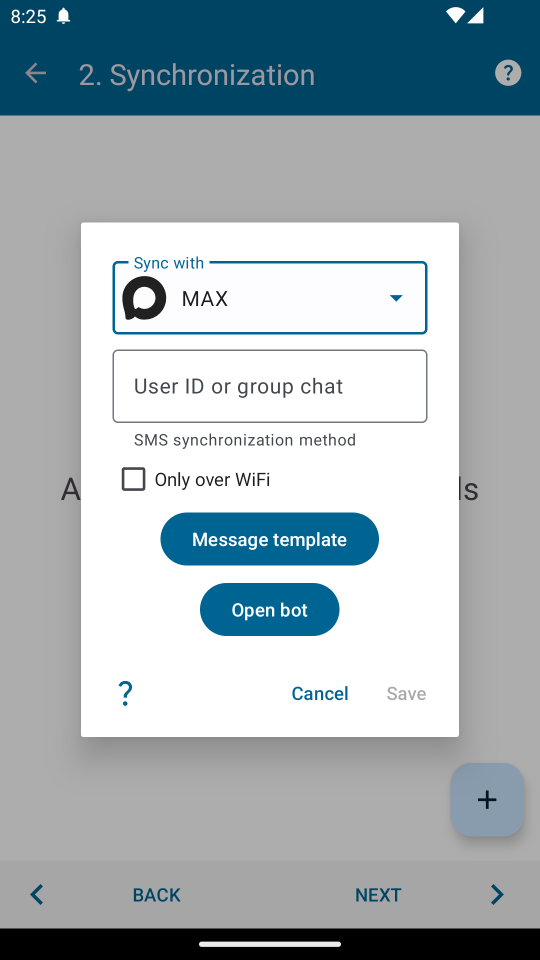
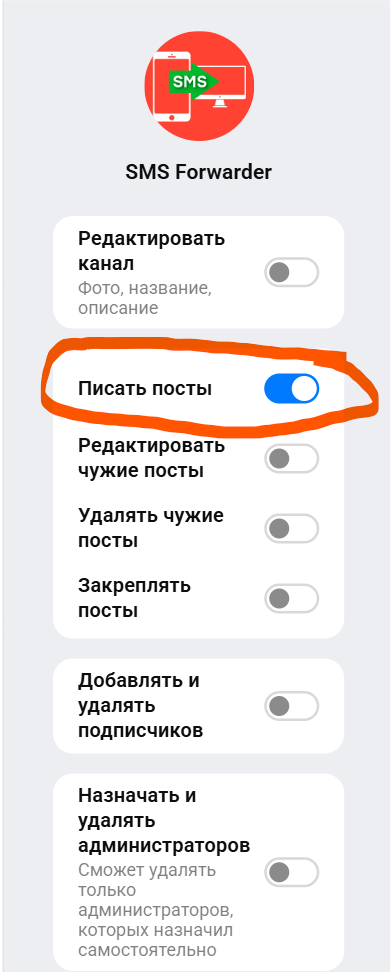
1. To do this, message our bot in MAX or add it to a group chat (@id433903023332_bot). If you're adding it to a group chat, you must allow the bot to write to the chat. To do this, make it an Administrator. You can remove all unnecessary permissions:
2. If you message the bot or mention it in a general chat, the bot will share the chat ID. This ID must be specified in the app to forward messages.
This forwarding method has several options. You can enable forwarding only if your phone is connected to Wi-Fi. In this case, SMS messages will be saved and sent when the connection is restored. You can also customize the forwarded message template using macros.
This feature is currently in testing. If you encounter any issues, please report them via "Contact the developer" in the app menu.