You can set up SMS forwarding to a URL (to your server) in the app. To do this, create a new sending target:
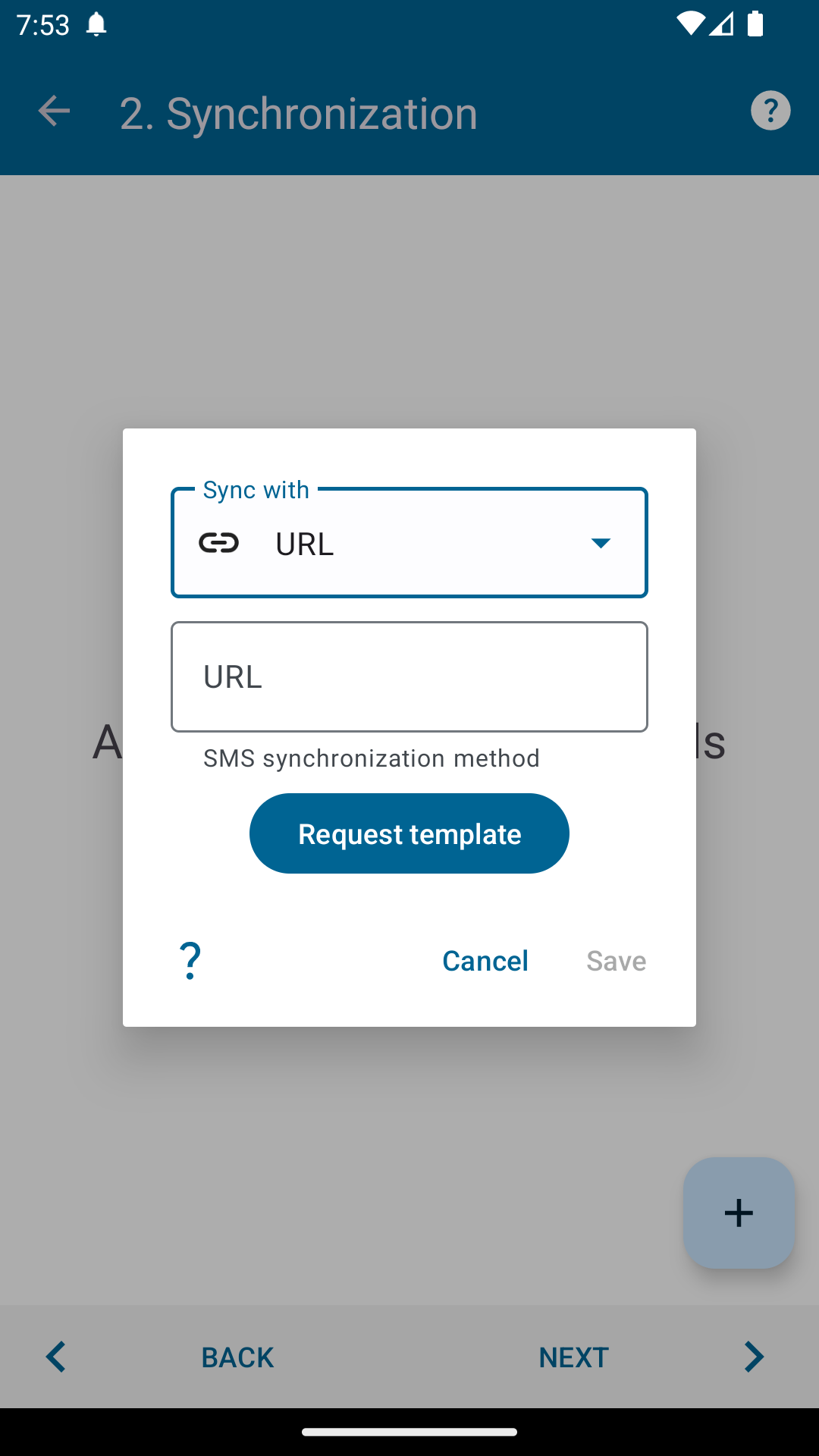
Before creating a URL forwarding, you should prepare your server to receive data. It's best to have a professional programmer who knows what they're doing do this.
The server request and response use JSON format.
For this method of sending SMS to the server, you can specify the request body and even set some headers. Let us know via the developer contact form if you require any additional headers:
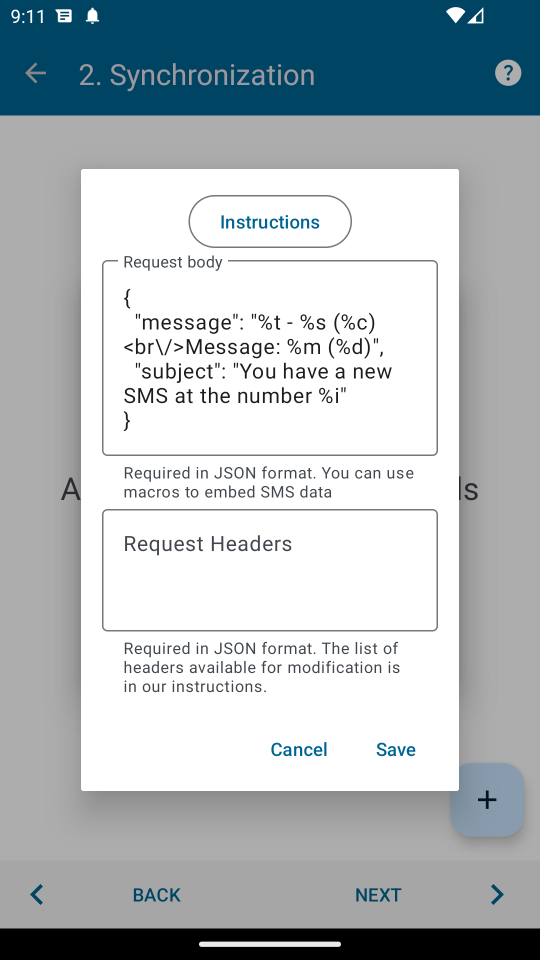
The Authorization header is currently available. And in the request body, you can use macros (special characters that the application will automatically replace with the corresponding value for a specific SMS). Here are the available macros:
- %i - your SIM card;
- %m - message text;
- %s - sender phone number;
- %c - sender contact name;
- %t - message type (incoming/outgoing);
- %d - time of receipt of SMS message
An example of what the data sent to the URL (POST request) looks like:
{
"subject":"example sibject",
"message":"example message"
}
An example of what the data should look like in the response to the request (error code 0 corresponds to successful sending):
{
"error_code": 0
}
An example of retrieving and retrieving data on a server in PHP (If your server uses a different programming language, then use a similar solution for it):
$jsonObject = json_decode(implode('', file("php://input")));
echo $jsonObject->subject; // remove in release version (this is just for demonstration how to get data)
echo $jsonObject->message; // remove in release version (this is just for demonstration how to get data)
If you have any questions or have suggestions regarding the functioning of this sending method, please write to our technical support mail.